Vivado Licencing and Installation
Vivado ML Standard Edition is free to use for most small to medium-sized FPGA development boards, including the Zybo Z7-10 used by the EMBS course. However, for all of the features of the tools to operate, you will need to go get a free licence file from AMD/Xilinx.
First we need to open the Xilinx License Manager. Open Vivado and go to Help → Obtain a License Key. “Get my full or purchased certificate-based license” should be selected. Click “Connect Now”. This will take you to an AMD website where you need to fill out some information. Use your university email, and put the Company Name as University of York. Click Submit.
You can then add the Vitis HLS License product (and any other products that you wish). Because the licence is going to be locked to one computer, you will be asked for host information. Back in the Xilinx License Manager you can select ‘View Host Information’ to see your Host Name, the serial number of your main disk drive, and the ID of your network interface.
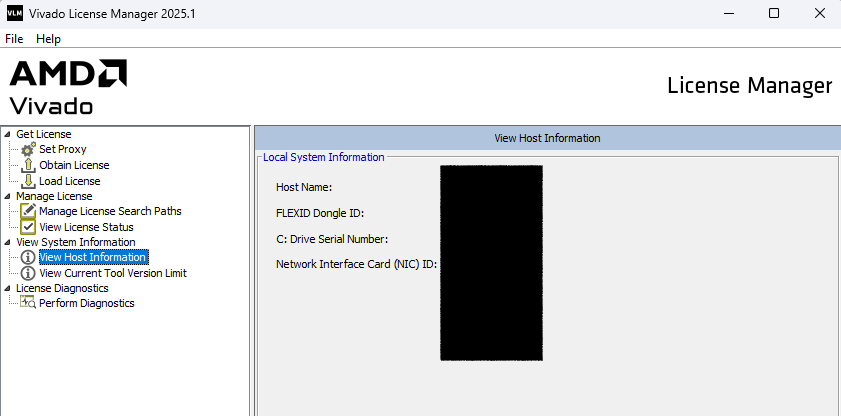
Provide the appropriate information to the AMD website and they will email you your .lic licence file. You can load this with “Load License” in the Xilinx License Manager.
After doing this, restart any open Xilinx applications and they should be able to use the new features.